
How to Gift and Receive Robux on Roblox Safely: Complete Step-by-Step Guide (2026)
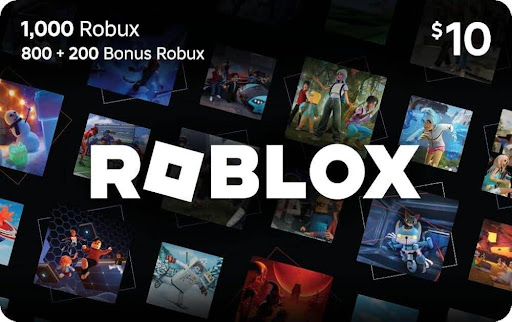
With Robux, players can buy special Game Passes for Experience features or avatar cosmetics on Roblox. Right now, there isn’t an official gifting button to send Robux from your account to a friend’s. There are still a couple of ways you can send Robux to other people though.
These methods are meant to be safe ways to send Robux. Because the currency is so sought after, you gotta keep an eye out for scams. This way, you won’t be risking anything when sending affordable robux as a gift to anyone.
Table of Contents
- Who Can Send and Receive Robux on Roblox?
- How to Send Robux to Friends (Step-by-Step Methods)
- How to Receive Robux Safely
- Safety Tips & Common Mistakes to Avoid
- Using Roblox Premium for Easier Transactions
- Conclusion
Who Can Send and Receive Robux on Roblox?

To gift or get Robux from others:
- Both users must have active Roblox accounts
- The other player has to create something to sell. This can be a game pass or a clothing item
- Group payouts require the correct permissions
- Transactions might say “pending” before actually going through
These precautions are to make sure your Robux goes through without flagging any security checks. Roblox checks for any potential scamming behavior to protect you. Make sure you take your time and look over these details before sending anything.
How to Send Robux to Friends (Step-by-Step Methods)

Method 1: Buying a Game Pass (Most Common):
- Ask your friend to create a Game Pass in their experience (Must be a Roblox developer)
- Have them set a price in Robux
- Visit their experience
- Purchase the Game Pass
- The Robux will be transferred over, but only after a small fee depending on the amount and your region
Tip: A lot of failed transfers happen because of incorrect pricing or by selecting a Game Pass or item that can’t be sold. Make sure you double-check everything before going through this method.
Method 2: Using Group Funds (Best for Roblox Communities):
This method only really works well for groups:
- Create or join a Roblox group
- Add Robux to the group (via experience Game Pass sales or funding)
- Assign payout permissions to certain members
- Distribute Robux using the Payouts feature
Tip: Make sure you don’t forget to hand out role permissions to your group members to decide who receives the Robux.
How to Receive Robux Safely

Receiving Robux from someone can be risky business, so you should:
- Only accept Robux through official Roblox systems
- Avoid “free Robux generator” websites
- Double-check group payout permissions
If you’re a Roblox developer, all sales from stuff like Game Passes will usually enter a “Pending” status before going to your account. This can take a few days, but it ensures your safety and that the Robux is legitimate.
Roblox Gift Cards

Besides those Roblox methods inside the platform, you can also always buy Robux gift cards to give to your friends. The prices depend on how much Robux you charge the cards with. That also includes where you live and currency you use, but this chart lists the average cost:
| Gift Card ($USD) | Robux Value |
| $10 | 800 |
| $25 | 2,000 |
| $50 | 4,500 |
| $100 | 10,000 |
Tip: Gift cards are good if you already know the person you’re sending Robux to in-person. Otherwise, this method might not work for you as well as the others. You could also try shipping the card through the mail, but never give your address out to any stranger online!
Safety Tips & Common Mistakes to Avoid

To make sure your Robux transactions stay secure and always go through, here’s a few mistakes to avoid and tips:
Safety Tips:
- Have 2-Step Verification method on your account
- Only transact with trusted users that you’ve known for a long time
- Use the official Roblox website or app
- Verify the usernames you’re sending to carefully
Common Mistakes:
- Expecting instant Robux transfers (pending time is normal and a safety measure)
- Sending Robux to the wrong user because of similar usernames
- Forgetting Roblox transaction fees in the end
- Using risky third-party or unofficial platforms
- Forgetting about group payout permissions
Tip: When trying to gift or receive Robux, always take your time throughout the process. Don’t let anyone rush you, as that’s when the most mistakes happen!
Using Roblox Premium for Easier Transactions

The Roblox Premium monthly subscription makes it easier to receive Robux and trade items that cost it. The perks include:
- Monthly Robux allowance
- Ability to trade items that cost Robux
- Access to selling features and group payouts
- Potential to earn more through creations
Roblox Premium is not required to gift Robux or Game Passes, but it might help you out a little considering the allowance and extra features.
Summary

Gifting and being gifted Robux isn’t that hard once you understand everything and take your time through the process. Roblox utilizes several safety measures like the “Pending” status to always check that your Robux is legitimate and coming from or going to safe hands. Always remember to:
- Always use official Roblox systems
- Be patient with pending Robux transactions
- Double-check usernames and permissions
- Avoid third-party or “free Robux” offers


About Author

 Arsenal vs Manchester City: Micro Battles Deciding a Knife-Edge Title Race
  Building a High-Performing Procurement Team: The Future-Ready Skill Set