
Smart Tech Guide to Renting and Driving a Car in Dubai
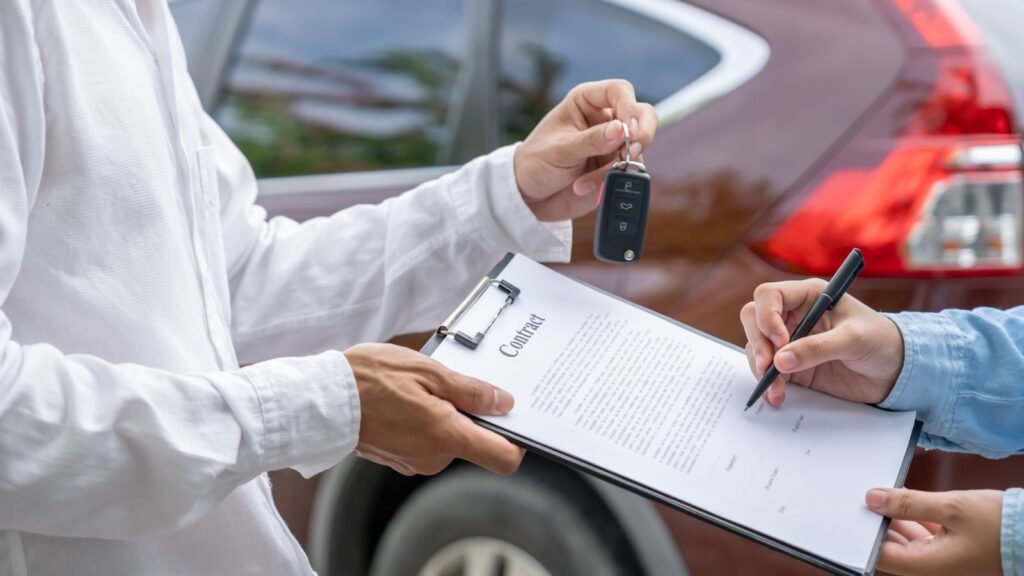
Travellers who rent car dubai can use navigation apps, digital parking services and connected-car features to explore the city more efficiently. Dubai’s attractions and business districts extend far beyond the metro network, making a vehicle particularly useful for families, professionals and visitors planning several stops in one day. The right technology can simplify route planning, reduce delays and help drivers control travel costs.
Why a Rental Car Can Be Useful in Dubai
Dubai combines compact neighbourhoods with attractions spread across a large metropolitan area. Downtown Dubai, Palm Jumeirah, Dubai Marina, Old Dubai and the city’s theme parks are located in different districts.
A rental vehicle can help visitors:
- travel directly between the airport and their accommodation;
- carry luggage, shopping and beach equipment;
- visit several attractions in one day;
- reach locations outside metro routes;
- attend early or late events;
- travel comfortably with children;
- take day trips to other emirates;
- change plans without arranging another transfer.
Traffic and parking still require preparation, but having a car gives travellers greater control over their itinerary.
Choose a Vehicle Online
Comparison tools make it easier to review available models before arriving in Dubai. Travellers should select a car according to passenger numbers, luggage, expected mileage and planned destinations.
Economy Cars
Compact cars are suitable for solo travellers and couples driving mainly within the city. They generally use less fuel and are easier to manoeuvre in busy car parks.
Sedans
A sedan provides a practical combination of comfort, boot capacity and fuel efficiency. It can work well for airport transfers, business appointments and everyday sightseeing.
SUVs
An SUV offers additional room for families, groups and travellers carrying several suitcases. Its larger dimensions and fuel consumption should be considered when comparing options.
Renting an SUV does not automatically allow desert or off-road driving. Such use must be explicitly permitted by the rental agreement and insurance policy.
Luxury and Sports Cars
A premium car can complement a business event, celebration or luxury holiday. These models may involve higher deposits, stricter age requirements, limited mileage and greater insurance excesses.
Compare the Complete Price
Digital booking platforms make prices easy to compare, but the headline rate rarely tells the whole story. Travellers should open the detailed conditions before selecting an offer.
Important costs include:
- daily, weekly or monthly rental price;
- included mileage;
- additional-kilometre charges;
- insurance coverage;
- insurance excess;
- security deposit;
- fuel policy;
- additional-driver fees;
- delivery and collection charges;
- airport surcharges;
- road-toll processing fees;
- extension or early-return charges.
Taking screenshots or saving a PDF of the booking conditions can provide a useful reference if the offer changes or questions arise later.
Prepare Digital and Physical Documents
Rental requirements depend on the driver’s nationality, residency status, licence-issuing country, age and selected vehicle.
International visitors may need:
- a valid passport;
- a valid driving licence;
- an International Driving Permit where required;
- entry or visa documentation;
- an accepted payment card.
UAE residents are generally expected to provide an Emirates ID and valid UAE driving licence.
Digital copies can be useful during the booking process, but travellers should also carry any original documents required by the provider. Files should only be uploaded through an authorised and secure channel.
Protect Personal Data During Booking
A vehicle booking can involve identity documents, contact information and payment details. Basic cybersecurity precautions are therefore important.
Travellers should:
- confirm that the booking website uses HTTPS;
- avoid entering payment information over public Wi-Fi;
- use a unique password for their account;
- enable multifactor authentication when available;
- avoid sending card details through unsecured messages;
- check the recipient before uploading documents;
- retain a copy of the final agreement;
- review payment notifications for unexpected charges.
Public charging stations can also create security risks. Using a personal charging adapter or power bank is preferable to connecting an unlocked phone to an unfamiliar USB port.
Use Navigation Apps Before Starting
Dubai’s roads are modern, but multilane junctions and complex exits can be difficult for first-time drivers. Navigation should be configured before the vehicle begins moving.
Before departure:
- Enter the exact destination.
- Check the estimated journey time.
- identify the correct building or car-park entrance.
- Review the route and major exits.
- Place the phone in a secure mount.
- Begin audio directions before moving.
Road signs and official traffic instructions always take priority over an application. If an exit is missed, drivers should continue safely and allow the system to calculate another route.
Download Offline Maps
Mobile coverage is generally reliable in Dubai, but an offline map provides a useful backup when data access is interrupted or roaming settings change.
Before travelling, download maps covering:
- central Dubai;
- Dubai International Airport;
- Jebel Ali;
- Hatta;
- Sharjah;
- Abu Dhabi;
- any other planned day-trip destination.
Travellers should also save the accommodation address, rental provider’s location and emergency contact information separately.
Understand Electronic Road Tolls
Dubai uses an electronic toll system on selected roads. Drivers do not normally stop at physical toll booths. The rental provider records crossings and adds the charges to the renter’s account.
Before accepting the vehicle, ask:
- how each crossing is recorded;
- when toll charges appear;
- whether an administration fee is added;
- how outstanding amounts are settled;
- whether an itemised journey record is available.
Navigation apps may offer toll-avoidance routes, but avoiding every toll does not always reduce the total cost. A longer route can require more time and fuel.
Manage Parking Digitally
Dubai offers public paid parking, shopping-centre car parks, hotel parking, valet services and private facilities. Payment methods and restrictions vary according to location.
Drivers should check:
- the parking zone;
- applicable payment hours;
- maximum stay;
- payment instructions;
- residential restrictions;
- free periods at shopping centres;
- vehicle-height limits;
- overnight parking rules.
Save the car’s location on a phone when using a large car park. Photographing the floor, row and nearest entrance can also prevent confusion.
Parking applications and digital wallets can make payment more convenient, but drivers should still verify that the correct number plate, zone and duration have been entered.
Inspect the Vehicle With a Phone
A smartphone is one of the most useful tools during vehicle collection. Before leaving, record the condition of the car in good lighting.
Capture:
- every exterior panel;
- wheels and tyres;
- windscreen and windows;
- mirrors and lights;
- seats and interior trim;
- dashboard warning lights;
- fuel or battery level;
- current mileage.
A continuous walk-around video can show the entire vehicle more clearly than separate photographs. Make sure that all existing damage is included in the official handover report.
Test the air conditioning, indicators, lights, parking sensors, cameras and infotainment system before beginning the journey. Keep the files until the agreement has been closed and any deposit has been returned.
Connect a Phone Carefully
Many modern rental cars support Bluetooth, Apple CarPlay or Android Auto. These systems can provide navigation, music and hands-free communication, but they may retain personal data.
Connected information can include:
- saved contacts;
- recent calls;
- message previews;
- navigation history;
- home or work addresses;
- calendar appointments;
- device names;
- account information.
Use a guest profile if the system provides one. Before returning the vehicle, remove the phone, delete navigation history and erase the temporary user profile without changing essential vehicle settings.
Keep the Phone Charged
Navigation, digital parking and communication can consume battery power quickly. Drivers should carry:
- a compatible charging cable;
- a vehicle adapter;
- a charged power bank;
- a backup cable if travelling long distances.
The device should be positioned where directions are visible without obstructing the windscreen. Notifications unrelated to the journey can be silenced to reduce distraction.
A phone must never be held while driving. Calls and messages should be handled through an approved hands-free system or after stopping safely.
Organise the Itinerary by District
Technology is most helpful when combined with realistic planning. Grouping attractions by location can reduce driving time, tolls and parking expenses.
Downtown Dubai
Downtown contains Burj Khalifa, Dubai Mall, Dubai Opera, hotels and restaurants. Traffic and parking demand can increase during evenings, weekends and special events.
Old Dubai
Al Fahidi, Dubai Creek, the Gold Souk and the Spice Souk are easier to explore after parking in an authorised facility. Visitors can continue on foot or use an abra to cross the creek.
Dubai Marina and JBR
Dubai Marina, Jumeirah Beach Residence and Bluewaters Island offer beaches, restaurants and entertainment. Car parks may have separate entrances for hotels, residences and shopping areas, so the precise destination should be entered.
Palm Jumeirah
Destinations may be located on the trunk, fronds or outer crescent. Travellers should check the precise location because distances can be longer than they appear on a general map.
Dubai Parks and Jebel Ali
Theme parks and attractions in the southern part of the city can require a longer drive from Downtown or the airport. Tickets, opening hours and parking instructions should be checked in advance.
Use Technology for Family Travel
A rental car can provide space for pushchairs, bags, snacks and spare clothing. Families should request appropriate child seats before the booking begins and verify that they match each child’s age and size.
Parents can save:
- attraction tickets in a mobile wallet;
- hotel and parking locations;
- emergency contact numbers;
- offline entertainment for passengers;
- a list of nearby pharmacies;
- copies of travel documents;
- restaurant reservations.
Electronic devices should not be left in direct sunlight. Children and animals must never be left inside a parked vehicle, even briefly.
Prepare for Dubai’s Climate
High temperatures can affect passengers, batteries, tyres and electronic equipment.
Useful precautions include:
- using covered parking where possible;
- testing the air conditioning immediately;
- carrying drinking water;
- protecting phones and laptops from heat;
- avoiding leaving power banks in direct sunlight;
- using a removable windscreen shade;
- monitoring tyre warnings;
- maintaining sufficient fuel.
Seats, steering wheels and metal surfaces can become extremely hot. The car should be ventilated and cooled before passengers enter.
Plan Day Trips Digitally
A rental vehicle can make it easier to visit destinations outside central Dubai, subject to the agreement’s mileage and travel conditions.
Hatta
Download the route before departure, check weather conditions and confirm seasonal opening hours. Carry water and remain on approved roads.
Abu Dhabi
The journey to the UAE capital should be planned with sufficient time for traffic, parking and any attractions requiring advance tickets.
Sharjah
Sharjah is close to Dubai, but commuter traffic can cause considerable delays. Real-time navigation can help identify current conditions.
Ras Al Khaimah
Longer trips require attention to fuel, tyre condition and mileage limits. Mountain destinations may also be affected by weather or temporary access restrictions.
Travellers should confirm that inter-emirate travel is permitted. Crossing an international border requires separate authorisation and should never be assumed to be included.
Do Not Depend Entirely on Technology
Applications can provide useful information, but they are not infallible. A navigation service may contain an outdated entrance, temporary closure or inaccurate private-road instruction.
Drivers should:
- follow official signs;
- obey police and road-authority directions;
- avoid restricted or unpaved routes;
- keep sufficient fuel;
- save emergency numbers outside one application;
- carry a payment card as a backup;
- confirm important information with the rental provider.
For remote or unfamiliar journeys, share the destination and expected arrival time with another person.
Respond to an Accident or Breakdown
Before regular driving begins, save the provider’s emergency and roadside-assistance numbers.
Keep access to:
- the booking reference;
- vehicle registration information;
- insurance instructions;
- roadside-assistance details;
- relevant emergency numbers;
- the vehicle’s exact location.
If an incident occurs, move only when it is safe and legally appropriate. Contact the rental provider and follow the required official reporting procedure. Repairs or towing should not be arranged independently unless authorised or immediately necessary for safety.
Document the Return
The final handover should be recorded as carefully as the original collection.
Before returning the car:
- remove personal belongings;
- disconnect phones and delete stored data;
- confirm the required fuel or battery level;
- photograph the exterior and interior;
- record the final mileage;
- check the return location and deadline;
- obtain confirmation that the vehicle was returned;
- ask when the deposit will be released.
Keep the agreement, inspection records and payment receipts until all charges have been settled.
Create a Tech-Smart Three-Day Itinerary
Day One: Downtown and Jumeirah
Begin around Dubai Mall and Burj Khalifa, then continue towards Jumeirah for a beach visit or evening meal. Save the parking location at both destinations.
Day Two: Heritage and the Marina
Explore Al Fahidi and Dubai Creek in the morning. Later, drive to Dubai Marina, JBR or Bluewaters Island and use real-time navigation to monitor evening traffic.
Day Three: Explore Beyond the Centre
Choose Hatta, another emirate or an organised desert experience. Download maps, check the fuel level and review the remaining mileage before departure.
Make Technology Part of the Journey
Digital tools can make renting and driving in Dubai more convenient, but they work best when supported by careful preparation. Travellers should compare complete rental conditions, protect personal data, download essential information and learn how local toll and parking systems operate.
With an appropriate vehicle and a well-organised digital toolkit, visitors can spend less time solving transport problems and more time experiencing Dubai’s beaches, business districts, historic neighbourhoods and entertainment destinations.
About Author

 What to Put Around an Enter VR Button
  5 Ways to Use a Real-Time AI
Canvas
5 Ways to Use a Real-Time AI
Canvas  EmbdrE BuzzFlux: The 2026 Breakdown Of The Viral Attention Engine