
Rethinking Image To Video Transition Through AI Image Editor
The shift from static pixels to fluid motion is often framed as a simple leap of “prompting.” In reality, for product teams and creators aiming for professional-grade launch assets, the transition is a technical bridge that requires precision before the first frame is ever rendered. Relying on raw text-to-video generation frequently results in a loss of brand identity—colors drift, logos warp, and the spatial logic of a product can collapse under the weight of diffusion noise.
The more reliable path involves a workflow where the image serves as the “ground truth.” By utilizing a robust AI Image Editor, creators can establish the lighting, composition, and texture of a single frame with surgical accuracy before passing it to a motion engine. This approach doesn’t just improve aesthetics; it provides a structural anchor for models like Nano Banana Pro to follow, ensuring that the resulting video feels like a natural extension of the original vision rather than a hallucinated approximation.
The Strategic Importance of the Source Frame
In the current generative landscape, the “one-shot” video prompt is increasingly seen as a gamble. While it can produce stunning results, it lacks the repeatability required for professional content pipelines. If a marketing team needs a 15-second clip of a high-end watch submerged in water, the text-to-video model might get the water right but fail the watch’s geometry, or vice versa.
By starting with a static image generated or refined in Banana Pro, you isolate the variables. You solve for the “what” (the product, the lighting, the environment) before you attempt to solve for the “how” (the motion). This separation of concerns is fundamental to modern AI creative operations. When you use an image-to-video workflow, you are essentially providing the AI with a map. Without that map, the model is trying to build the terrain and navigate it simultaneously, which often leads to the spatial inconsistencies that plague lower-tier generative tools.
Refining the Blueprint with the AI Image Editor
Before motion can be applied effectively, the source image must be optimized for temporal expansion. This is where the AI Image Editor becomes more than just a retouching tool; it acts as a pre-production suite.
For instance, if the goal is to create a panning shot of a landscape, the source image needs a specific level of depth and clarity. A muddy background or poorly defined edges will lead to “smearing” in the video phase. Operators can use the editor to sharpen specific regions or adjust the contrast to help the motion model distinguish between foreground and background elements.
There is, however, a notable limitation in this process. While an editor can fix visual fidelity, it cannot always account for how a model will interpret “occluded” space—the areas behind an object that are revealed only once it starts moving. If an image is too tightly cropped, Nano Banana may struggle to generate what should logically exist just outside the frame, leading to warped edges or “pulsing” artifacts. Successful workflows typically involve generating a wider-than-necessary source image to give the motion engine more “buffer” pixels to work with.
Translating Pixels into Motion via Nano Banana
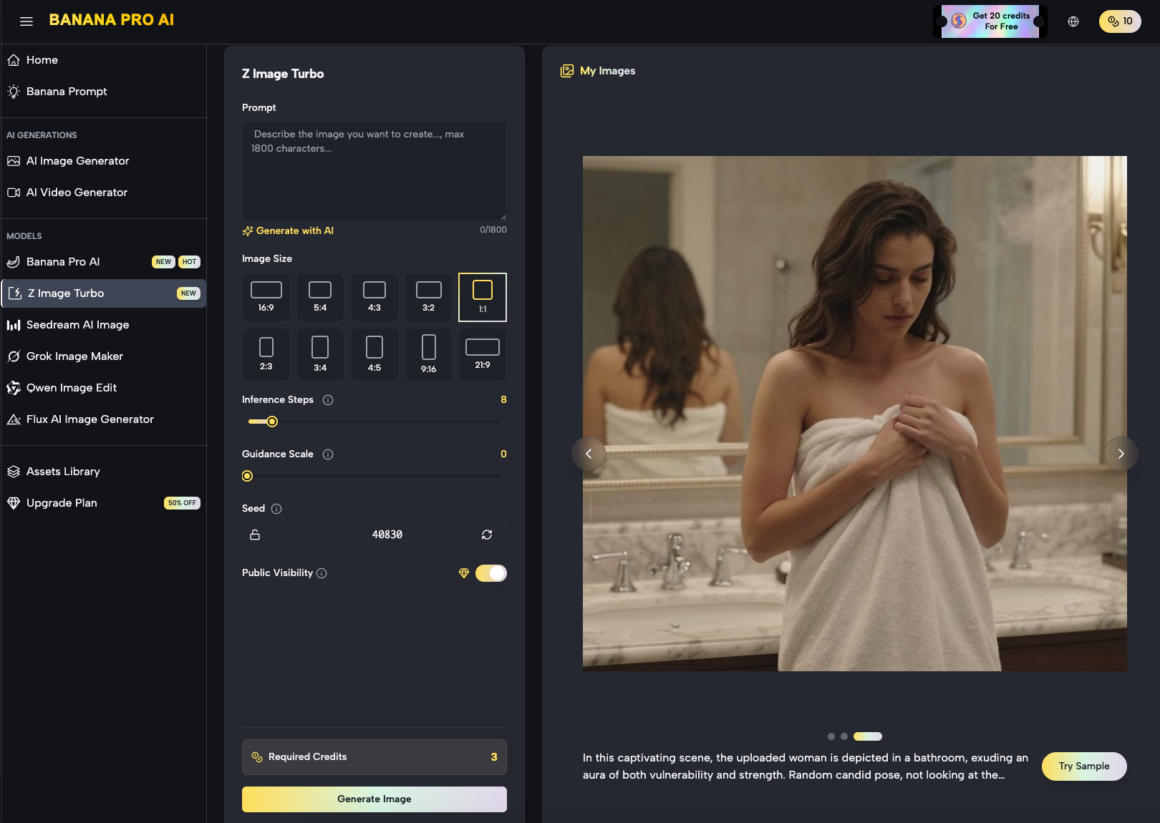
Once the static frame is perfected, it is fed into the motion engine. The Nano Banana architecture is designed to respect the latent space of the source image while introducing temporal layers. Unlike text-to-video, which generates every frame from a text embedding, this workflow uses the source image as the primary reference point.
The model analyzes the pixels and maps out potential motion vectors. If the prompt calls for “gentle waves,” the model doesn’t just draw waves; it looks at the existing water in the source image and calculates how those specific pixels should displace over time. This is the core of the Nano Banana Pro advantage: it maintains the integrity of the original asset.
From a tactical perspective, this means the “motion brush” or “motion strength” settings become the most critical variables. High motion strength often results in significant deviations from the source image, where the model begins to prioritize fluid movement over visual accuracy. Conversely, low motion strength can result in a “living photo” effect that feels too static for high-impact social media assets. Finding the equilibrium requires iterative testing that many teams overlook.
Workflow Integration: From Banana Pro to Video
For content teams, the workflow usually follows a non-linear path. It often begins in the Banana AI canvas, where multiple elements are composited. A typical production sequence might look like this:
- Generation: Creating the base product or environment image using Nano Banana Pro.
- Refinement: Moving the asset into the editor to fix “hallucinations” in text or fine details.
- Expansion: Using outpainting features to create a 16:9 canvas from a 1:1 source, providing the “room” needed for camera movement.
- Motion Synthesis: Importing the refined wide-angle shot into the video generator to apply specific camera paths (pan, tilt, zoom).
This modular approach allows for “branching.” If the motion doesn’t work, you don’t have to regenerate the entire concept; you simply return to the editor, adjust the source frame, and try a different motion seed. This saves compute resources and, more importantly, time.
Managing Expectations in Complex Scenes
While the tools have advanced significantly, it is important to acknowledge that some scenes remain inherently difficult for image-to-video transitions. Highly complex physical interactions—such as a person tying shoelaces or liquid pouring into a translucent glass—still present challenges for Nano Banana.
In these scenarios, the model can sometimes lose track of the object’s volume. A glass might appear to melt into the table as the liquid fills it, or the fingers might merge into the shoelaces. This is a current limitation of diffusion-based motion: the model understands “pixels” and “vectors” but doesn’t truly understand “physics.” When working on launch assets, it is often safer to choose motion paths that emphasize environmental movement (wind, light shifts, simple pans) rather than complex manual interactions, which remain the “uncanny valley” of AI video.
The Role of Nano Banana Pro in Asset Consistency
For a brand, consistency is non-negotiable. If you are launching a product line, the “look and feel” must remain identical across a dozen different video clips. The Nano Banana Pro model excels here because it allows for “seed locking” and consistent reference images.
By using the same AI Image Editor settings across a batch of source images, you ensure that the color grading and lighting are unified. When these are then processed through the video engine, the resulting clips feel like they belong to the same campaign. This is a significant shift from the early days of AI video, where every generation felt like a disconnected experiment. We are moving toward a paradigm where Banana AI functions as a coordinated creative suite rather than a collection of isolated tools.
Advanced Control with Banana AI Canvas
The “Canvas” approach to image and video generation represents a shift toward a more traditional digital workstation feel. Instead of a simple input box, you have a spatial area where images can be moved, layered, and manipulated.
This is particularly useful when you need to “stage” a scene. You might generate a background in one pass and a product in another, then use the editor to blend them. When this composite is sent to the motion engine, the AI treats the entire canvas as a single cohesive frame. This level of control is what separates an amateur prompt-engineer from a professional AI operator. The ability to dictate exactly where an object sits in 3D space before the “video” button is pressed is the difference between a video that looks “AI-generated” and one that looks “produced.”
Technical Realism and the Future of Workflows
As we look at the trajectory of tools like Banana Pro, the trend is clearly toward more granular control. We are seeing a move away from “black box” generation and toward “controllable” generation. The image-to-video transition is the perfect example of this. By mastering the static frame first, creators are regaining the agency they lost in the initial wave of generative AI.
However, creators must remain cautious about “over-editing.” There is a point of diminishing returns where too much manual intervention in the editor can create an image that is “too perfect” or “too sharp” for the motion model to interpret naturally. Sometimes, a bit of “organic noise” in the source image actually helps the motion engine create more realistic transitions between frames. It provides the “texture” that the model uses to track movement.
The Operator’s Perspective: Final Evaluation
Success in the image-to-video space is less about the prompt and more about the pipeline. A product team exploring AI visuals should focus 80% of their effort on the source image and the remaining 20% on the motion parameters. If the source image is flawed—if the lighting is flat or the perspective is warped—no amount of motion strength in Nano Banana Pro will save the output.
The AI Image Editor is the filter through which all professional ideas should pass. By treating it as the gatekeeper of quality, creators ensure that their videos maintain high fidelity and brand alignment. As the technology matures, the distinction between “image editing” and “video production” will continue to blur, but the fundamental need for a high-quality, static foundation will remain the cornerstone of any reliable creative workflow.
Ultimately, the goal is to move beyond the novelty of AI motion and toward a standard of production that rivals traditional VFX. With the right combination of Nano Banana and a disciplined editing workflow, that standard is becoming increasingly accessible for teams of all sizes. The focus should always remain on the intent: using the tool to execute a specific vision, rather than letting the tool dictate the outcome.
About Author

 AI Film maker: Turn One Idea Into a Finished Short Film
  Best Turnkey iGaming Solutions for Operators
  Digital Content Built Around Poker Games